
> UMassCTF 2026
2026.04.12
UMassCTF2026-Brick by Brick
Challenge description
The challenge homepage only displays a maintenance notice:
“Internal systems are currently undergoing maintenance.”
Directory scanning and finding robots.txt
Use dirsearch:
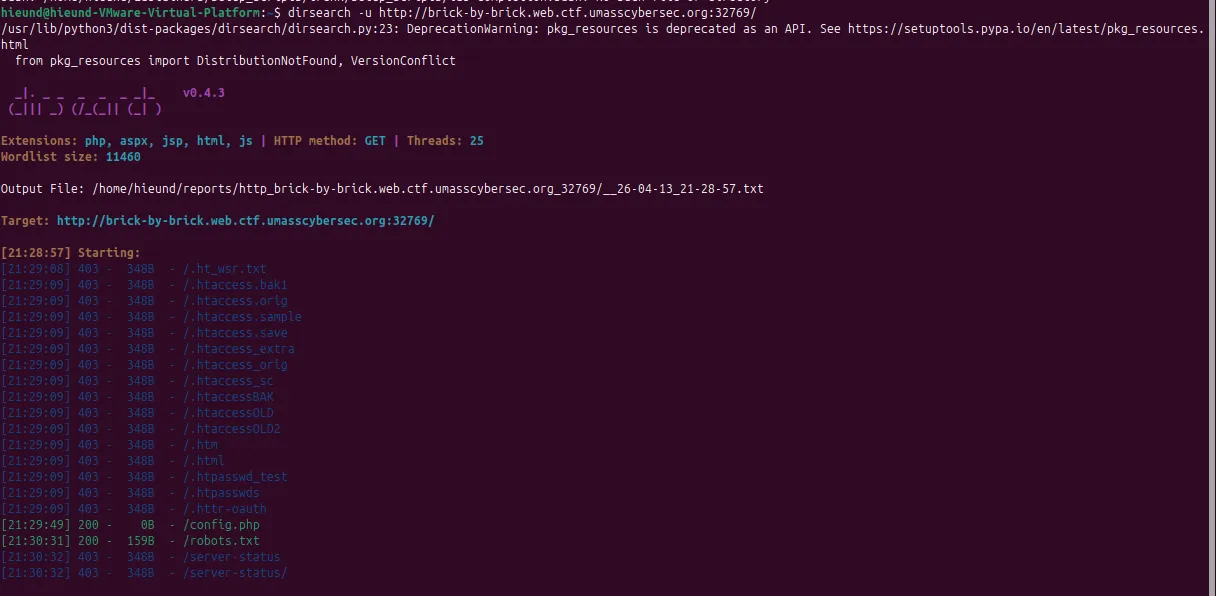
From here we learn there is a hidden directory:
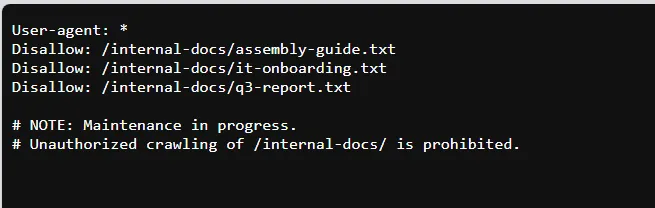
Opening the internal files
Access the files one by one.
The notable content in /internal-docs/it-onboarding.txt:
SECTION 1 - DOCUMENT PORTAL

The internal document portal lives at our main intranet address.
Staff can access any file using the ?file= parameter:

SECTION 2 - ADMIN DASHBOARD

Credentials are stored in the application config file
for reference by the IT team. See config.php in the web root.
From here we get 2 very important pieces of information:
-
The website has a file-reading feature via the
?file=parameter -
The admin login info is in
config.php
Access /?file=config.php:
<?php
// BrickWorks Co. - Application Configuration
// WARNING: Do not expose this file publicly!

// The admin dashboard is located at /dashboard-admin.php.

// Database
define('DB_HOST', 'localhost');
define('DB_NAME', 'brickworks');
define('DB_USER', 'brickworks_app');
define('DB_PASS', 'Br1ckW0rks_db_2024!');

// WARNING: SYSTEM IS CURRENTLY USING DEFAULT FACTORY CREDENTIALS.
// TODO: Change 'administrator' account from default password.

define('ADMIN_USER', 'administrator');
define('ADMIN_PASS', '[deleted it for safety reasons - Tom]');

// App settings
define('APP_ENV', 'production');
define('APP_DEBUG', false);
define('APP_VERSION', '1.0.3');
We obtain:
- the admin dashboard path:
/dashboard-admin.php- the admin username:
administrator- the real password has been removed:
define('ADMIN_PASS', '[deleted it for safety reasons - Tom]');- and a very important comment:
// WARNING: SYSTEM IS CURRENTLY USING DEFAULT FACTORY CREDENTIALS.
// TODO: Change 'administrator' account from default password.
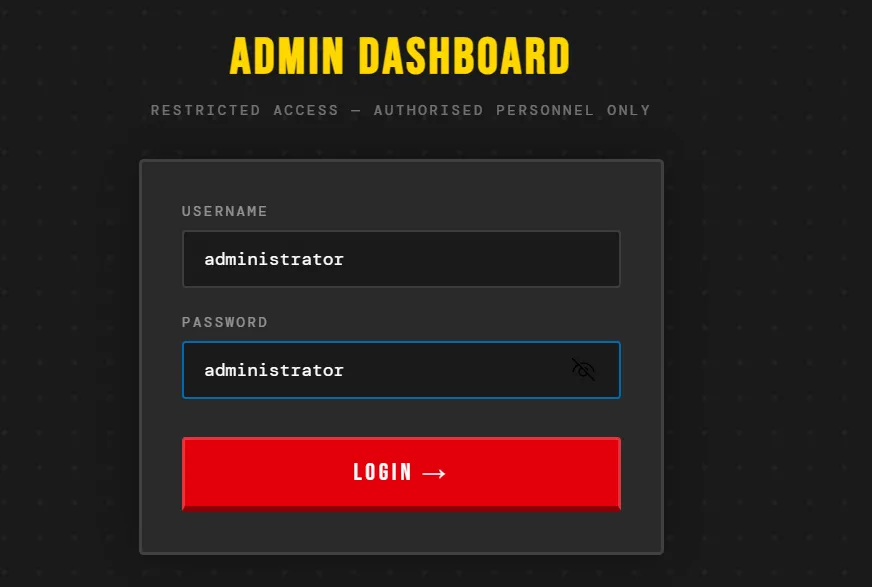
This line tells us the system is still using the default password
administratorAccess /dashboard-admin.php:
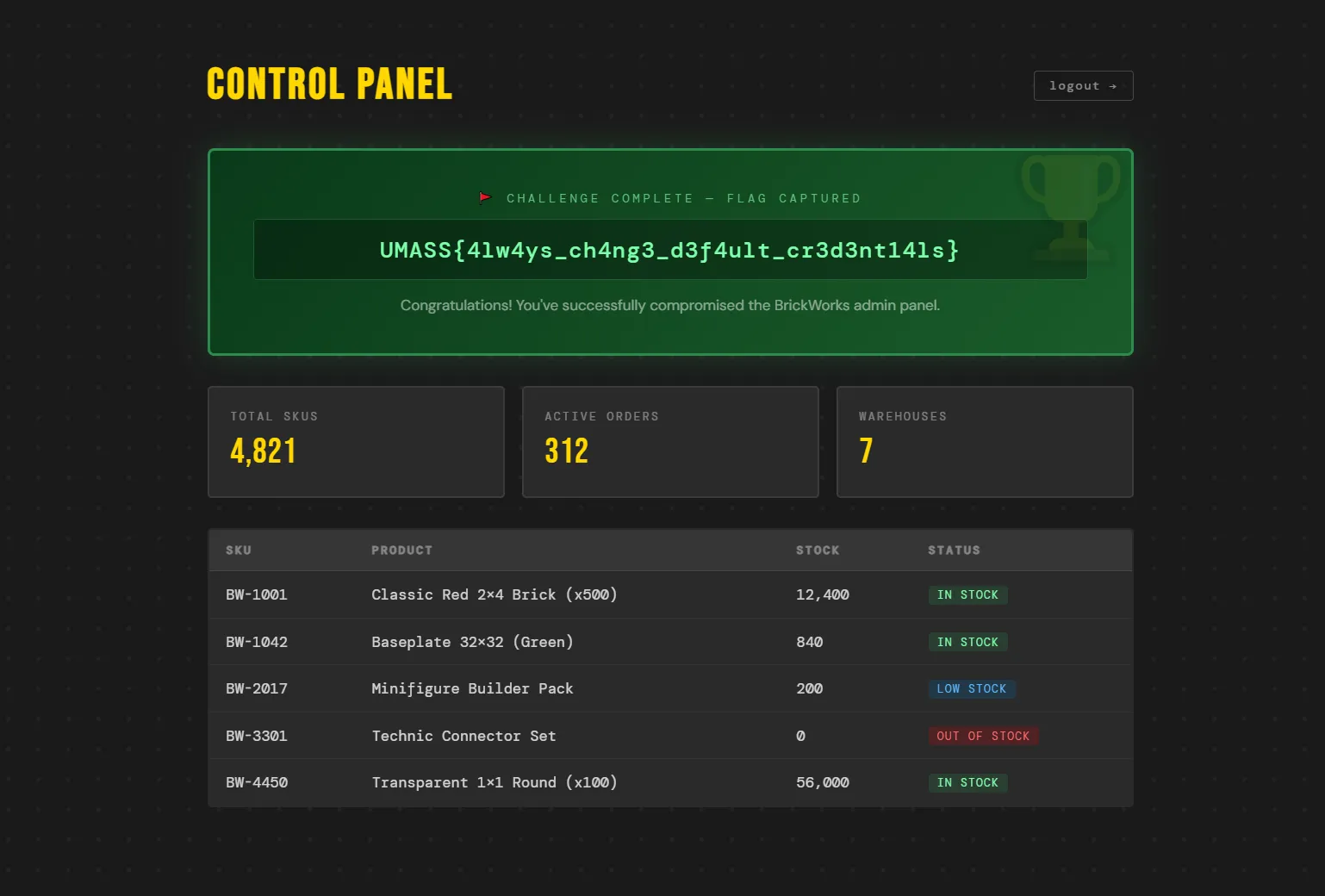
Flag
UMASS{4lw4ys_ch4ng3_d3f4ult_cr3d3nt14ls}